Quick fixes – Home

  • Remove all account data, stored mail and attachments from Postbox app (Mac OS)

    The problem with stored Postbox data

    I use Postbox, the Mail Client as a tool for checking problems with customer’s email accounts, and migrating mail data. When I have finished using it I don’t want to retain their data, nor do I want it taking up space on my machine. Just removing the ‘accounts’ doesn’t actually remove the data, it sits in Application Data forever (well maybe not forever, but a long time).

    The solution might be user profiles

    While searching for the location of stored mail data, I chanced across the Postbox Profile Manager. This allows complete profiles to be added and removed. (more…)

  • Manually verifying created users when using Laravel Email Verification

    Laravel 5.7 ships with bundled Email Verification. This is great if you want to make sure a user’s email address is valid (or at least that the user can access it) before allowing them access.

    Problem:
    What if you want to manually verify a user without sending them an email address? For example you might want to add or import a load of existing ‘known-good’ users to a migrated app. Or you might be creating Admin or System users that don’t really have accessible email addresses. There could be many reasons.

    At present as soon you register a user, the sendEmailVerificationNotification method is called. There’s a good breakdown of how this works in this Stack Overflow answer. If a user is manually created, then when they try to log in they’ll still see the “Verify your email address” message:

    Laravel's email verification message

    Solutions:
    Whether a user has verified their email address or not is indicated by a timestamp in the email_verified_at column of the User table¹. If this column is set to a valid timestamp upon user creation, the user will be ‘validated’ and no email will be sent. So… how can we set that timestamp?  (more…)

  • Fixing “[vue-loader] vue-template-compiler must be installed as a peer dependency”

    Problem:
    Whilst attempting to upgrade an old Laravel project, I hit the following error.

    Module build failed (from ./node_modules/vue-loader/lib/index.js):
    Error: [vue-loader] vue-template-compiler must be installed as a peer dependency, or a compatible compiler implementation must be passed via options.

    Solution:
    After some searching of GitHub and stackoverflow, it turns out that The vue and vue-template-compiler module version must be the same. Here was my existing package.json:
    (more…)

  • Stop WordPress installing new bundled themes and plugins when the core is upgraded.

    Problem: Every time WordPress updates to a newer major version it tries to install the newest default Theme too, i.e. WP5.0 arrived with the theme Twenty Nineteen.

    In many – maybe MOST cases – we aren’t going to want this to happen on an existing WordPress installation, especially if you are already using a custom theme.

    Solution: Thankfully there’s a config value to stop this happening. The value is:

    define('CORE_UPGRADE_SKIP_NEW_BUNDLED', true);
    

    …and if you add this line to your `wp-config.php` file (usually found in the root of your site) it will skip new bundles items when the core is upgraded, as the name suggests.

    Please let me know if this post was useful with a click, be honest 🙂
    Nope, not helpful...Yep, more useful than not!+6 thumb, 10 overall.
    Loading…

  • Vacuum hose tee and better routing on the GT6

    Vacuum hose tee and better routing on the GT6

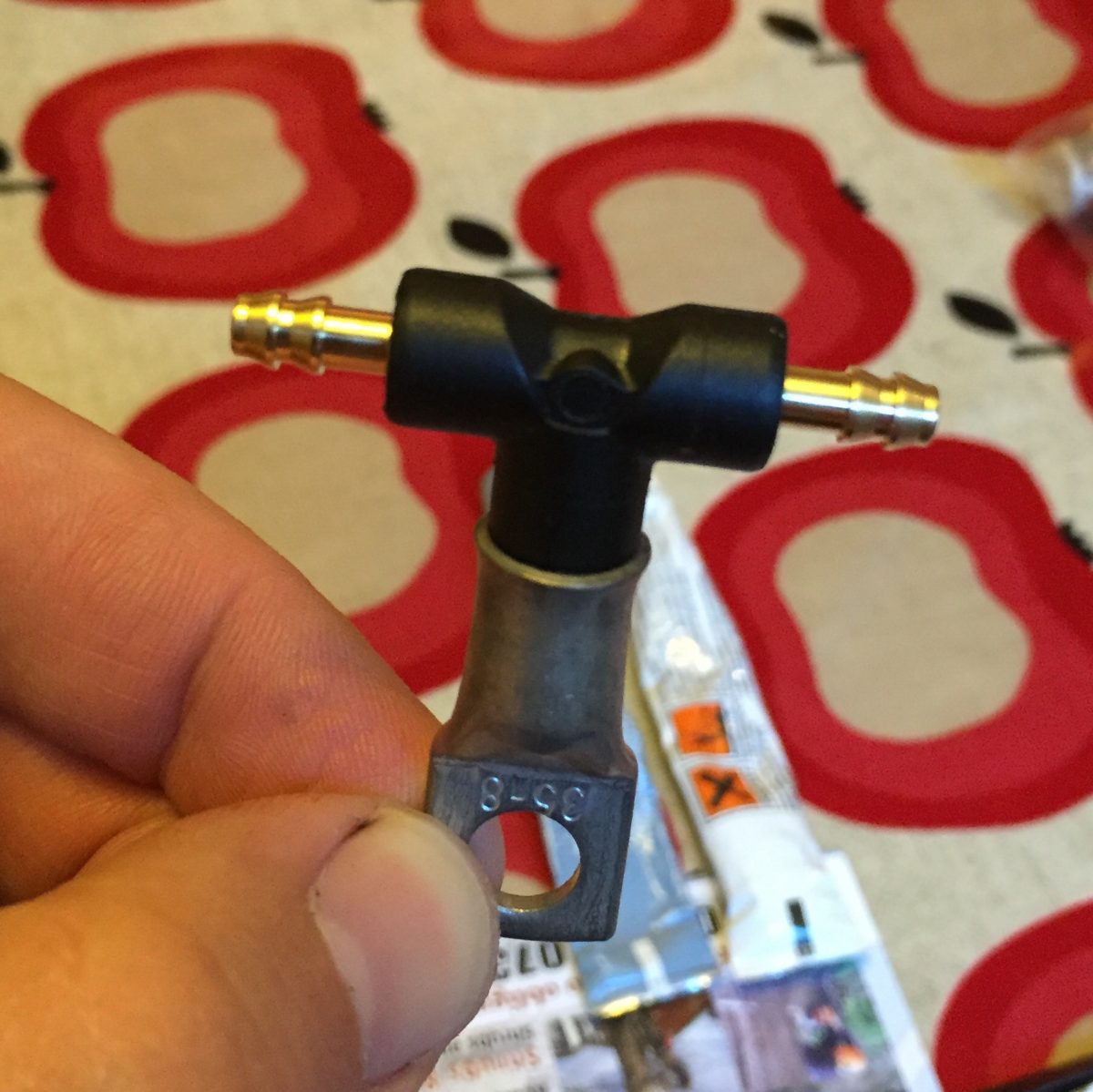
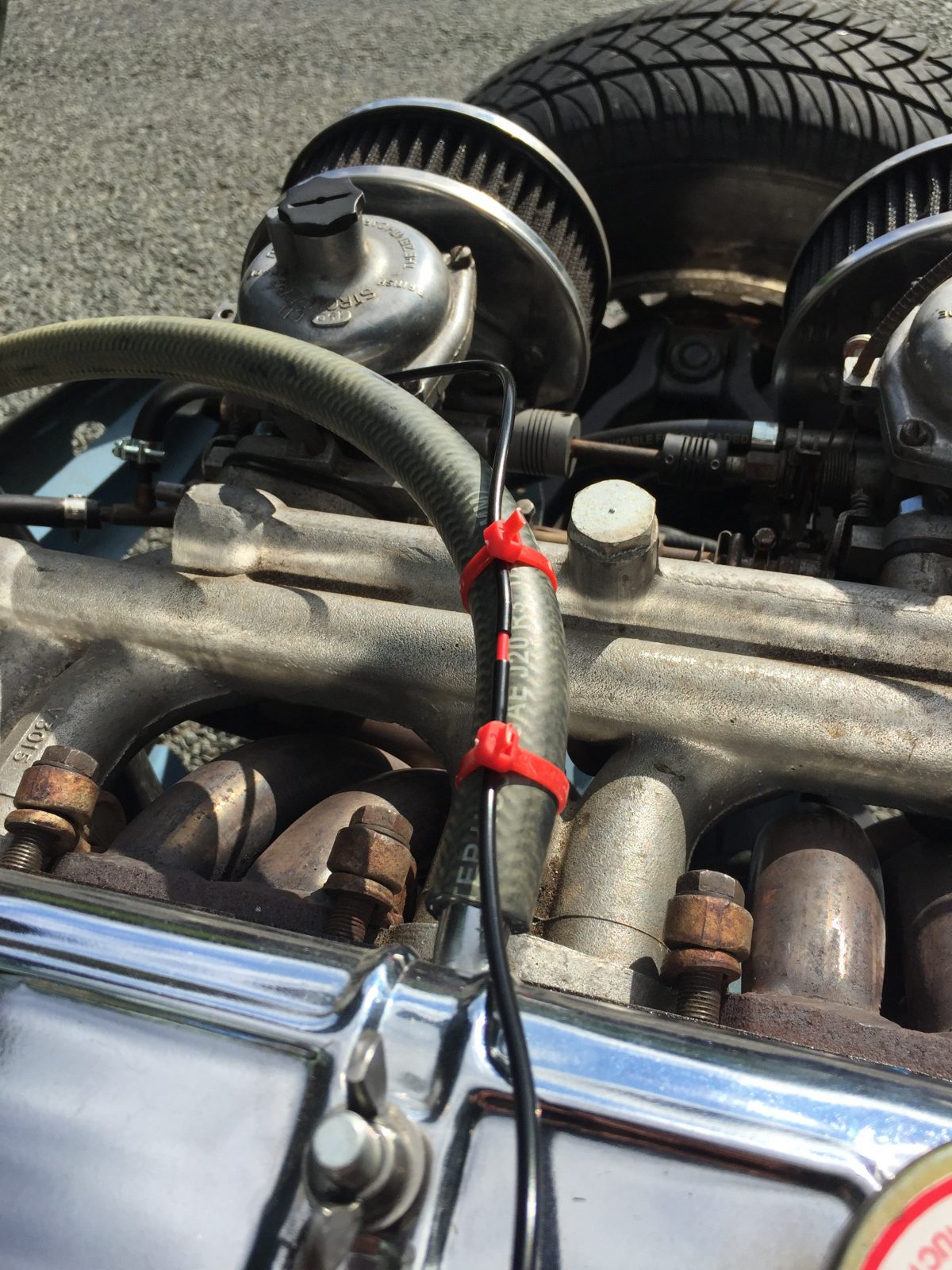
    Problem: The routing of the vacuum hose on the GT6 is a bit poo. Actually I don’t know what it was like from the factory, but most engine bays I’ve seen recently have it draped around the rocker cover or across it, and that can lead to problems.

    Solution: I wanted to fix the hose to one of the rocker shaft studs as a more secure solution but couldn’t find a suitable hose clamp with an appropriate drilling. Hence this: (more…)

  • Vacuum advance hose fix with WD40 nozzle

    Vacuum advance hose fix with WD40 nozzle

    Problem: On a trip home from North Wales, the vacuum hose in my GT6 came loose and fell on the exhaust, melting and fusing it. Nasty sluggish acceleration  resulted.

    Solution: I had no tools besides a knife and no spare hose, but DID have a small can of WD40 in the boot.  (more…)

  • GT6 / Spitfire DIY alternator bracket improvement

    GT6 / Spitfire DIY alternator bracket improvement

    Problem: Years back when I first did an alternator conversion on the GT6 the very rudimentary ‘pull it hard and tighten the nut’ fan belt tensioning method really annoyed me. It seemed there should be a way to achieve finite adjustment, and not risk noisy, slack or dangerously tight belt tension.

    Solution: I don’t remember where now, but somewhere I saw a rigging screw (sometimes called a Turnbuckle). They are available in a load of sizes, lengths and materials from chandlers (sailing suppliers). So I used one of these to solve the problem. I then went on to sell them for a while on eBay under the name Mere Components. (more…)

  • Flush the DNS Cache on Mac OS El Capitan (using a nice quick alias)

    Updated June 2016: For OS X / 10.11 / El Capitan

    Problem: I’ve updated some Name Server records on a domain and I want to check they’ve propagated using Dig. When I dig mydomain.com ns I keep getting the old results.

    Solution: The local DNS cache on the machine needs to be cleared. As far as the OS is concerned, it’s already looked up that domain name and doesn’t need to do a fresh lookup until the domain record’s TTL (time to live) has expired.

    On OS X 10.11 El Capitan there are two things needed. Firstly clearing the Directory Service cache and secondly forcing mDNSResponder to restart. This can be done using two commands in Terminal¹:

    $ dscacheutil -flushcache
    $ sudo killall -HUP mDNSResponder

    (more…)

  • DIY Torque Wrench recalibration (with another one)

    Problem: My old cheap Draper torque wrench was last used 7 years ago, and in that time I left it set to 40NM. Stoopid! Now I have no idea if it’s reading correctly and don’t want to risk snapping the studs on my head.

    Solution: I borrowed a good (Digital Snap-On… oh my…) Torque Wrench from a mechanic mate to test mine against. Here’s the method that worked for me: (more…)

  • Get terminal / bash prompt to show useful info

    Problem: Well it’s more of an irritation. My new hosting provider does allow SSH access, but when logged in the bash prompt looks like this, regardless of which account  I’m logged-in as, or where I am:

    -bash-4.2$

    What I want is for it to show something like:

    username@server:/current/path$

    Solution: The bash prompt can be customised via a profile script, ideally anything that loads when you log in like ‘.bash_profile’, ‘.bashrc’ or ‘.profile’. If one of these files doesn’t already exist in your home directory (check with ls -la ~ to list the contents) then create one. Here is an example of creating, editing and loading a login script to show a better prompt.

    (more…)